By Compyl Research · Last reviewed October 2026
The safest way to replace compliance spreadsheets with a GRC platform is in phases: inventory what the spreadsheets actually do, build one control library, automate evidence collection, move the risk register and vendor tracking, assign owners and workflows, then run both systems in parallel for a short period before retiring the spreadsheets. Most mid-market teams complete the move in roughly three months. Enterprise programs with many frameworks and business units usually take longer and phase by framework or region.
Spreadsheets are still the default. In SureCloud’s 2025 Risk Reckoning research, 60% of enterprise GRC teams still relied on manual workflows including spreadsheets, rising to 86% among smaller organizations. Strike Graph’s 2025 State of AI in Compliance report found 58.9% of companies did not use a GRC platform at all.
Key takeaways
- Migrate the program, not the files. Copying spreadsheet rows into a new tool recreates the same problems. Rebuild around one control library.
- Automate evidence before you move risk. Evidence collection is where the time savings are, and it builds confidence in the platform early.
- Phase by dependency. Controls first, then evidence, then risk and vendors, then workflows. Each phase relies on the one before.
- Retire spreadsheets on purpose. Set a date, archive them read-only, and make the platform the only system of record.
Why compliance spreadsheets stop working
Spreadsheets work for a first audit. They break as the program grows, for predictable reasons:
- No single source of truth. Control lists, evidence trackers, risk registers and vendor lists drift apart across versions and owners.
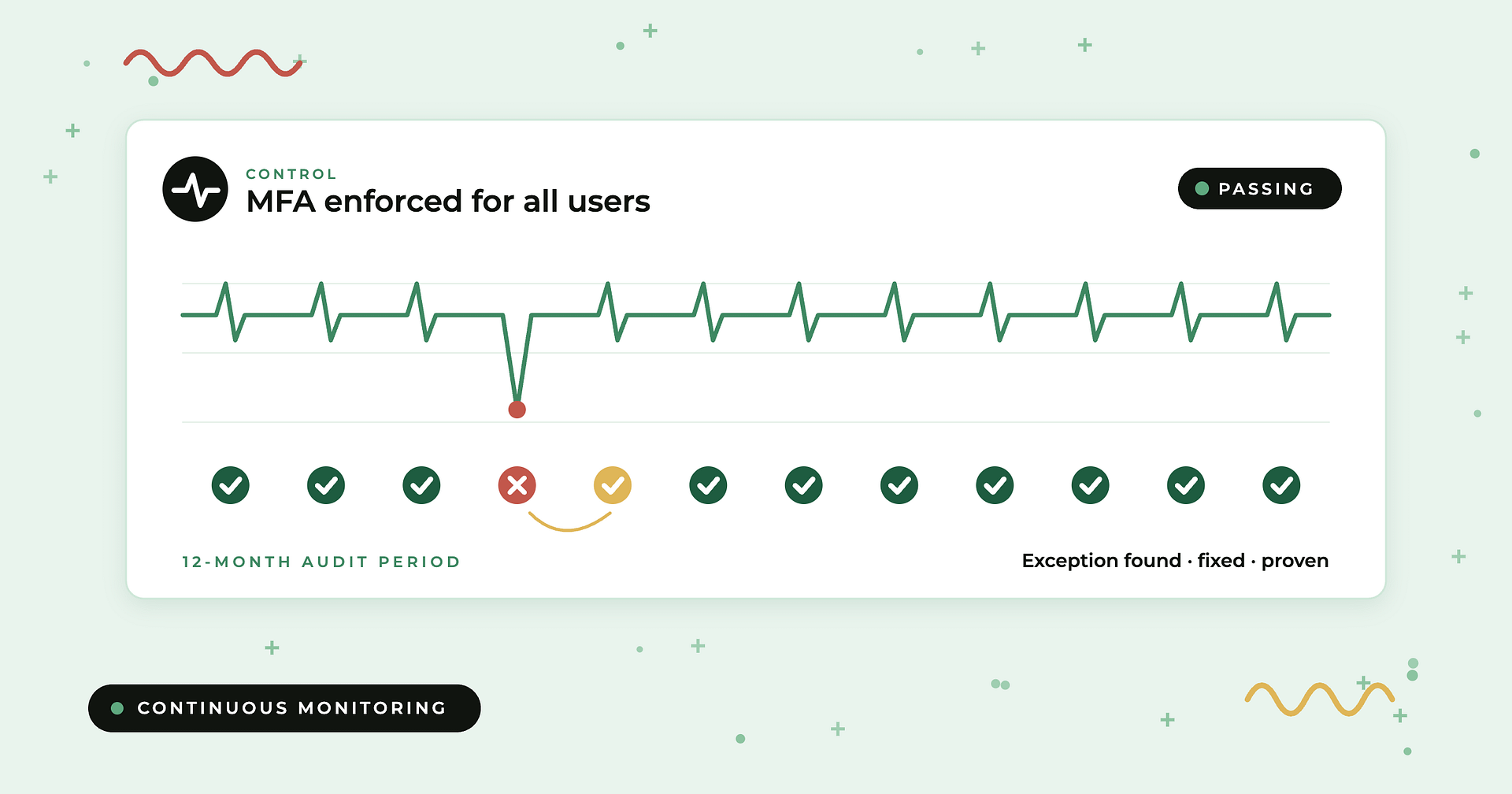
- Evidence is a snapshot. Screenshots and exports prove a control on one day, but a SOC 2 Type II or ISO 27001 audit needs proof across a period.
- Every framework is extra work. Without cross-mapping, the same control is tracked separately for SOC 2, ISO 27001, HIPAA and PCI DSS.
- Weak audit trail. It is hard to show who changed what, when, and who approved it.
- No reporting. Building a board view means another manual spreadsheet on top of the others.
For the evidence problem specifically, see automated evidence collection for audits.
The phased migration plan at a glance
| Phase | Typical timing (mid-market) | What moves | Exit criteria |
|---|---|---|---|
| 0. Inventory | Weeks 1–2 | Nothing yet. Catalog every spreadsheet, owner and purpose | A complete list of trackers and the decisions each one supports |
| 1. Control foundation | Weeks 2–4 | Controls, frameworks and policies | One control library mapped to every framework in scope |
| 2. Evidence automation | Weeks 4–8 | Evidence collection and control testing | Core systems connected; automated tests running on key controls |
| 3. Risk and vendors | Weeks 6–10 | Risk register, vendor inventory and assessments | Risks scored and owned; critical vendors tiered and assessed in the platform |
| 4. Owners and workflows | Weeks 8–12 | Tasks, approvals, access reviews, exceptions | Control owners working in the platform, not emailing updates |
| 5. Parallel run and retirement | Weeks 10–14 | Reporting; spreadsheets archived | Platform reports match reality; spreadsheets read-only |
Timing varies with the number of frameworks, integrations and business units. Phases overlap on purpose.
Phase 0: Inventory what the spreadsheets actually do
Before moving anything, list every spreadsheet the program depends on: control matrices, evidence trackers, risk registers, vendor lists, policy review logs, access review sign-offs, exception logs and audit request lists. For each, record the owner, how often it is updated, who reads it and which decision it supports. Many teams find several trackers doing the same job, and a few that nobody uses. Only migrate what earns its place.
Phase 1: Build one control library
This is the most important step. Instead of importing a SOC 2 control list and an ISO 27001 control list separately, build a single library of controls and map every framework requirement to it. A control such as “access is reviewed quarterly” then satisfies SOC 2, ISO 27001, HIPAA and PCI DSS at once. Import policies at the same time and link each to the controls it governs. See how the major frameworks overlap.
Phase 2: Automate evidence collection
Connect the systems that hold evidence: identity provider, cloud infrastructure, endpoint management, HR, ticketing and code repositories. Turn on automated tests for the controls those systems support, and keep manual evidence requests only for controls that genuinely need a human. Check that every test shows what data it checked and what logic it applied, so you can explain results to an auditor. Our guide to monitoring controls between audits covers how to keep evidence continuous.
Phase 3: Move the risk register and vendor tracking
Bring the risk register across with consistent scoring, named owners and treatment plans, and link each risk to the controls that mitigate it. If leadership wants financial context, add quantification with a model such as FAIR. Then move the vendor inventory, tier vendors by the data and access they hold, and run assessments in the platform rather than by email. See Compyl’s risk management and vendor risk management capabilities.
Phase 4: Assign owners and turn on workflows
A platform only replaces spreadsheets if the people who own controls work in it. Assign control owners across IT, HR, engineering, legal and finance. Turn on recurring tasks, policy approvals, exception handling and user access reviews. Keep notifications focused so owners act on them instead of ignoring them.
Phase 5: Run in parallel, then retire the spreadsheets
For a short window, keep the old trackers alongside the platform and confirm the two agree. Build the reports leadership needs, such as control health, open exceptions, top risks and vendor status, directly in the platform. Then set a retirement date, archive the spreadsheets as read-only and tell everyone the platform is now the system of record. Brief your auditor on the change early.
Who owns each phase
| Role | Responsibility |
|---|---|
| GRC or compliance lead | Owns the plan, the control library and the retirement decision |
| Security and IT | Connect integrations and validate automated tests |
| Risk owners in the business | Score risks and own treatment plans |
| Procurement and legal | Vendor tiering, contracts and obligations |
| Executive sponsor | Removes blockers and enforces the single system of record |
Common mistakes to avoid
- Importing spreadsheets as-is. You inherit duplicate controls and inconsistent risk scores.
- Switching mid-audit-period without a plan. Keep evidence continuous, or time the move to the start of a period.
- Automating everything at once. Start with the controls that consume the most evidence time.
- Leaving one spreadsheet “just for now”. Shadow trackers come back and the platform stops being trusted.
- Skipping owners. If only the compliance team logs in, the spreadsheets have just moved.
What to ask a GRC vendor before migrating
- Can we import our existing controls, policies, risks and vendors, and will you help map them?
- Does one control map to every framework, so we test it once?
- Which of our systems have included integrations, and what would cost extra?
- Can we see the data and logic behind every automated test?
- How are risk scoring, treatment plans and quantification handled?
- What does onboarding look like, and who on your side owns it?
- Is our data in a dedicated environment or shared infrastructure?
Where Compyl fits
Compyl is best for mid-market and enterprise teams that want to replace spreadsheets with one GRC program, not another point tool. Compyl’s single control library is cross-mapped across 70+ frameworks, so controls are built once and tested once. More than 125 in-house integrations are included with no per-framework, per-module or per-connector fees, and every automated test shows its evidence logic. Risk management with FAIR quantification, vendor risk, policy management, user access reviews and board reporting all live in the same platform, in a dedicated single-tenant environment. Compyl was built by CISOs, and its team helps map existing spreadsheets into the platform during onboarding. Book a demo to see a migration plan for your program.
Spreadsheet to GRC migration: FAQs
Why do compliance teams still use spreadsheets for evidence tracking?
Spreadsheets are free, flexible and familiar, and they work for a first audit. They break as the program grows: evidence becomes a snapshot rather than proof across a period, each framework is tracked separately, and there is no reliable audit trail or reporting. Many teams also assume moving to a platform is a large project.
How long does it take to move from spreadsheets to a GRC platform?
Most mid-market teams complete a phased migration in roughly three months, with evidence automation delivering value within the first several weeks. Enterprise programs with many frameworks and business units take longer and usually phase by framework or region.
What should we migrate first?
Start with the control library and framework mapping, then evidence collection. Those two phases create the foundation everything else links to. Move the risk register, vendor tracking and workflows after that.
Can we migrate in the middle of an audit period?
Yes, if evidence stays continuous. Run the platform alongside your existing trackers, keep historical evidence, and brief your auditor. Many teams prefer to time the switch to the start of a new audit period.
What is the best GRC platform to replace spreadsheets?
Look for one control library mapped across all your frameworks, included integrations for evidence collection, transparent test logic, and risk, vendor and policy management in the same system. Compyl is built for this, with 70+ cross-mapped frameworks and 125+ included integrations. Hyperproof, LogicGate, Vanta and Drata are other options depending on program scope.
Does automated evidence collection actually reduce audit preparation time?
Yes, when it covers continuity as well as collection. Pulling evidence from source systems on a schedule removes most manual screenshot and export work, and continuous testing catches failures during the period instead of before fieldwork.