A HIPAA audit can expose whether compliance is truly working or only documented in theory.
Key Takeaways
- Preparing for a HIPAA compliance audit means showing that your safeguards protect ePHI in real-world use, not just in written policies.
- HIPAA audit requirements depend on the audit type, so organizations need to understand the scope before gathering evidence.
- HIPAA auditing becomes easier when documentation is current, organized, and ready to support each compliance claim.

To avoid HIPAA violations and safeguard patient data, it’s not enough to develop policies for cybersecurity and risk management. Healthcare organizations need to ensure that workers at every level are consistently putting those policies into practice. Comprehensive HIPAA audits can reveal the effectiveness of controls and the state of program maturity. How do you prepare for a HIPAA compliance audit?
What a HIPAA Compliance Audit Looks For
First of all, it’s important to clarify that HIPAA compliance audits fall under several categories — all with different objectives, triggers, and requirements. For example, a formal HIPAA audit involving the Office for Civil Rights follows a strict protocol that looks at the HIPAA Security, Privacy, and Breach Notification Rules.
Organizations that HIPAA applies to may face an official OCR audit in the event of serious violations, such as high-profile data breaches or whistleblower complaints. Each section of the audit evaluates compliance with the Code of Federal Regulations (45 CFR Part 164) and outlines performance criteria and addressables.
It’s common for covered entities and business associates to perform internal HIPAA audits. This type of audit is useful for evaluating implementation progress, detecting program challenges, and correcting issues that can lead to noncompliance. In this case, preparing for a HIPAA audit mainly requires reviewing reports, compliance metrics, security logs, and HIPAA documentation.
Third-party HIPAA audits can have several purposes:
- To give clients proof that your organization is HIPAA compliant
- To catch security issues that internal audits may have missed
- To prepare for a CPA-backed AT-C 315 HIPAA compliance attestation (similar to a SOC 2 report)
- To achieve HITRUST certification
HIPAA audit requirements for third-party reviews aren’t necessarily more difficult; however, the audit process and expected documentation can vary significantly between CPA firms.
How To Prepare for a HIPAA Compliance Audit
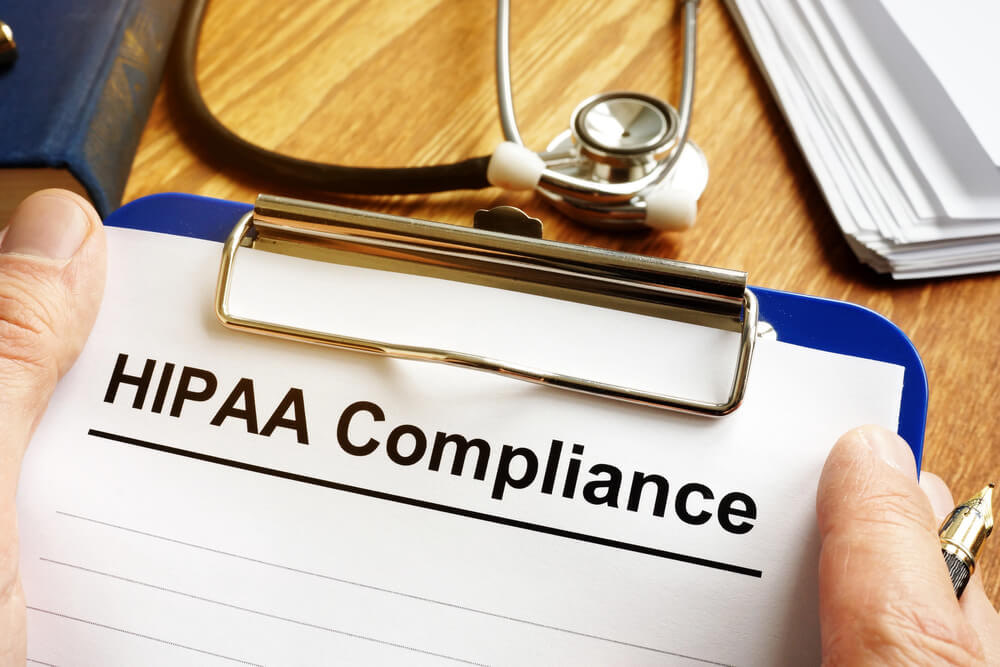
The parameters of HIPAA compliance audits are tailored to your organization’s systems, workforce, and operations. Auditors don’t have a specific list of security controls to review. Preparing for a HIPAA compliance audit is more about showing that your framework has adequate controls to safeguard protected health information, that it works, and that your employees follow it.
1. Understand HIPAA Requirements for Your Organization
Before auditing controls, identify which parts of your operations are under HIPAA regulations. General HIPAA audit requirements include:
- Deploying administrative, technical, and organizational measures to protect electronic PHI
- Maintaining the privacy of ePHI and limiting disclosure to acceptable uses
- Restricting access to PHI to authorized users and patients
- Documenting compliance and enforcement actions
All covered entities and business associates must comply with HIPAA, but the framework’s requirements don’t impact every organization equally. For example, insurers that offer health plans and other types of coverage would only need to follow HIPAA rules for systems that involve ePHI.
2. Perform a HIPAA Risk Assessment
If HIPAA doesn’t list specific cybersecurity controls, how can you know if your safeguards are compliant? An in-depth HIPAA risk assessment helps you analyze the strength of your current protections, policies, and practices.
Start by locating all internal and cloud-based systems that store, process, or transmit ePHI. Next, map all access points and potential vulnerabilities, including risks from employees (deliberate or accidental), software, and network devices.
3. Determine the Audit’s Scope
Make note of the purpose of the audit. Internal audits often focus on specific problem areas, such as access controls or emergency response plans. Limiting the scope of a HIPAA audit helps you use resources wisely.
Third-party auditors only assess controls within the agreed-upon scope. They outline audit procedures, such as how much documentation to provide and what to include in the management assertion.
4. Review Past Audit Findings, Corrective Actions, and Objectives
Gathering reports from past audits can help your organization target the right systems and processes for the current evaluation. Have the recommended corrective actions been implemented?
Repeated HIPAA violations are especially concerning because they usually signal deeper problems. Stay alert for bottlenecks that are making compliance more challenging.
5. Verify Current HIPAA Roles and Responsibilities
HIPAA compliance begins and ends with the Security and Privacy Officers (or the HIPAA Officer in smaller organizations). These executives are in charge of managing policies and controls for the entire program, including assigning support roles.
An often overlooked responsibility is training. But employee training programs are vital for HIPAA compliance and audit requirements.
6. Evaluate Security and Privacy Policies
When in scope, briefly review the content of your privacy policy, security policy, and similar patient-oriented policies. Make sure they’re up to date and compliant with HIPAA regulations.
7. Gather HIPAA Documentation
One of the largest portions of a HIPAA compliance audit is gathering and analyzing supporting documentation. Depending on the purpose of the audit, required documents include:
- BAAs for all vendors that provide HIPAA-covered services or products
- Employee training records, including proof of completion
- Security and access logs
- Risk assessments
- Patient consent forms and data access requests (for privacy audits)
- Required breach notifications
HIPAA compliance requires an extensive audit trail. The ability to quickly locate support documents can reduce audit costs and timelines significantly, which is why so many organizations use HIPAA compliance software.
Test Security Controls
Many HIPAA audits center on cybersecurity concerns like phishing, ransomware, and data breaches. In fact, data breaches are one of the main triggers for HIPAA compliance audits.
Testing network security helps ensure that HIPAA security programs go beyond policies. As part of HIPAA IT compliance checks, audit teams should perform periodic network vulnerability scanning and penetration testing.
Speak With Key Stakeholders
Comprehensive HIPAA audits shouldn’t just involve metrics. Take the time to speak with a variety of stakeholders, such as managers and end users/employees. Analytics tell you “what” and “where,” but human insights can explain the “why.”
How To Streamline Preparation for HIPAA Compliance Audits

Frequent HIPAA audits can help your team catch emerging risks and problems, but you also need to balance costs. Being predictive instead of reactive is especially vital for healthcare organizations, where system interruptions can be life-threatening.
Compyl can help your organization prepare for HIPAA compliance audits more cost-effectively. By automating compliance documentation and storage, and using AI to extract key metrics for ongoing monitoring of controls, you can stay ahead of risk without overburdening your team.
Discover how Compyl’s comprehensive HIPAA compliance solution can accelerate mapping, risk assessments, and training implementation at every step.