Monday, 9:47 AM. You start your Monday trying to figure out what you’re supposed to be working on. Maybe you’re checking multiple places—your to-do list, the shared vendor list on SharePoint, the control status spreadsheet, your email for what’s overdue. Or maybe you have a GRC platform with dashboards and task lists, but no easy way to filter by the audit you’re prepping for, see the tasks stuck in approvals, or understand what actually needs your attention versus what’s just noise.
Either way, you’re spending 20-30 minutes just getting oriented. Oh, and your boss just asked for a status on your SOC 2 for a meeting at 11.
The priority is to get the update to your boss, but what is going to get pushed aside to free up the time? You have 8 vendor assessments queued up with no clear way to tell which ones actually pose risk. A security questionnaire that’s been sitting in your inbox for two weeks is now due Thursday. And somewhere in your task list is a user access review you promised to finish last week.
Because everything gets treated as equally important, you spend your day responding to what’s loudest instead of what’s most important.
That’s not a time management problem. That’s a visibility problem.
Get clear on what matters most—instantly
Compyl changes the game by helping you see the full workload for you and your team in one place: tasks, approvals, automated evidence reviews, and assessments. Everything that needs attention, right there.
Visuals and color-coded status show you what’s failing, what’s at risk, and what’s healthy at a glance. Quick filters let you cut through the noise: overdue, work due this week, what’s in process and what’s done. Switch between board view to see how work is progressing and list view for detailed planning.
Prepping for a SOC 2 audit? Filter tasks by framework to see exactly what’s due. Need to clear approval bottlenecks? The approver view shows what’s stuck waiting for sign-off so your team can keep moving.
The result is clarity about what actually needs you—the user access review, the vendor risk decisions, the strategic work requiring your expertise. The tactical work that’s been consuming your time has somewhere else to go.
Get answers on-the-fly
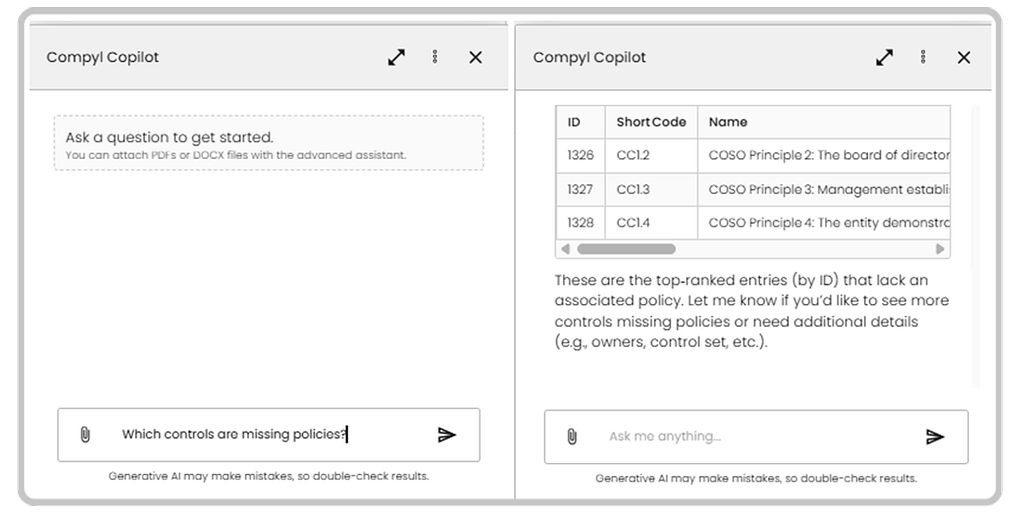
Even once you have a handle on your own priorities, other people’s priorities don’t stop. Throughout the day you get pulled into questions that interrupt focused work, including the 4:47 PM message from your boss that would normally mean 30 minutes of research and leaving late. Compyl Copilot knows your program inside and out and answers questions—from the simple to the complex—in seconds and minutes. It’s available everywhere in the platform which means whether you’re looking for policy gaps, controls that can be automated, or context on a vendor assessment, you can ask and keep working. No context switching. No rabbit holes, You answer your boss’s question in real time and get back to what you were doing.
Know what vendors need attention before you dig in.
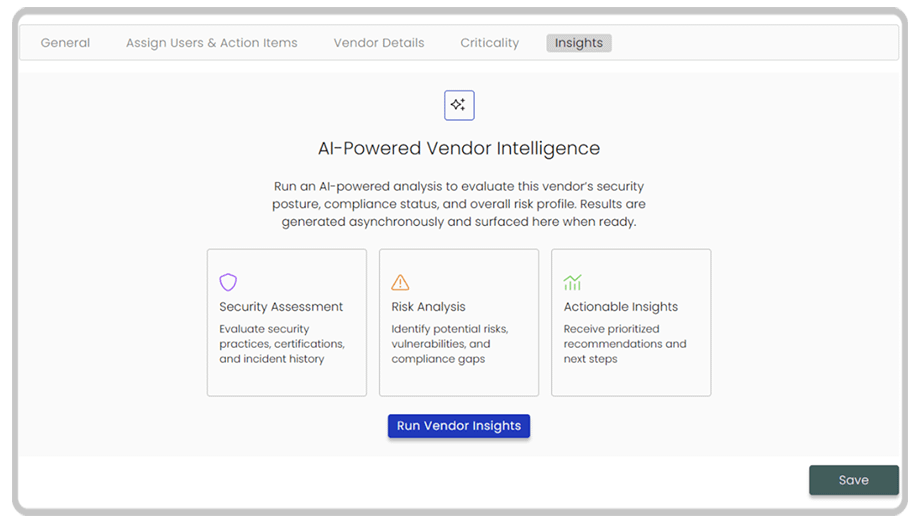
Eight vendor assessments due. Normally, that means hours researching security posture, breach history, and compliance certifications, all before you can make a single prioritization decision.Vendor Insights goes beyond cybersecurity scores. It automatically pulls security ratings and breach history, but also financial health and operational risk indicators—the full picture of business risk, not just cyber risk. Instead of spending your morning researching and piecing together a picture from multiple sources, you spend 15 minutes reviewing intelligence. You see which vendors need your attention, and approve the low-risk ones with confidence, and flag the ones that warrant a deeper look. Hours of work, saved!
Stop drafting questionnaire responses from scratch
That 150-question security questionnaire due Thursday? Most of the answers are already in your policies and documentation. The problem is pulling them out, phrasing them appropriately, and keeping them consistent across every response that goes out under your company’s name.
Questionnaire Assist drafts answers from your live policies and documentation. You set the tone and voice upfront, upload any supporting materials like your SOC 2 report or pen test results, and review how the AI is interpreting the questions before the full draft runs. Then it works in the background while you focus on something else. You come back to a completed draft grounded in your actual program, not generic boilerplate. You review, refine where context matters, and approve. What would have consumed two days gets done in hours.
What Monday looks like now
Leadership wants an updated SOC 2 status at 11. You ask Copilot for a summary, review control details behind the numbers, and send an accurate, current answer an hour before the meeting. Estimated Time: 10 – 15 minutes.
The 8 vendor assessments? Vendor Insights already pulled risk intelligence for all of them. You review the data, flag 3 for deeper assessment, and approve the rest with confidence. Estimated Time: 90 minutes.
The security questionnaire due Thursday? Questionnaire Assist drafted answers from your live program data. You review, refine a few responses, and approve. Estimated Time: 3-4 hours.
The user access review you’ve been trying to get to all week? You actually have time to work on it.
Because you’re not spending Monday doing work that Compyl can handle. You’re doing the work that requires your expertise and judgment.
That’s not just visibility. That’s clarity. Priorities. And the ability to focus on what actually matters. Want to see it in action? Schedule a demo or talk to our team.