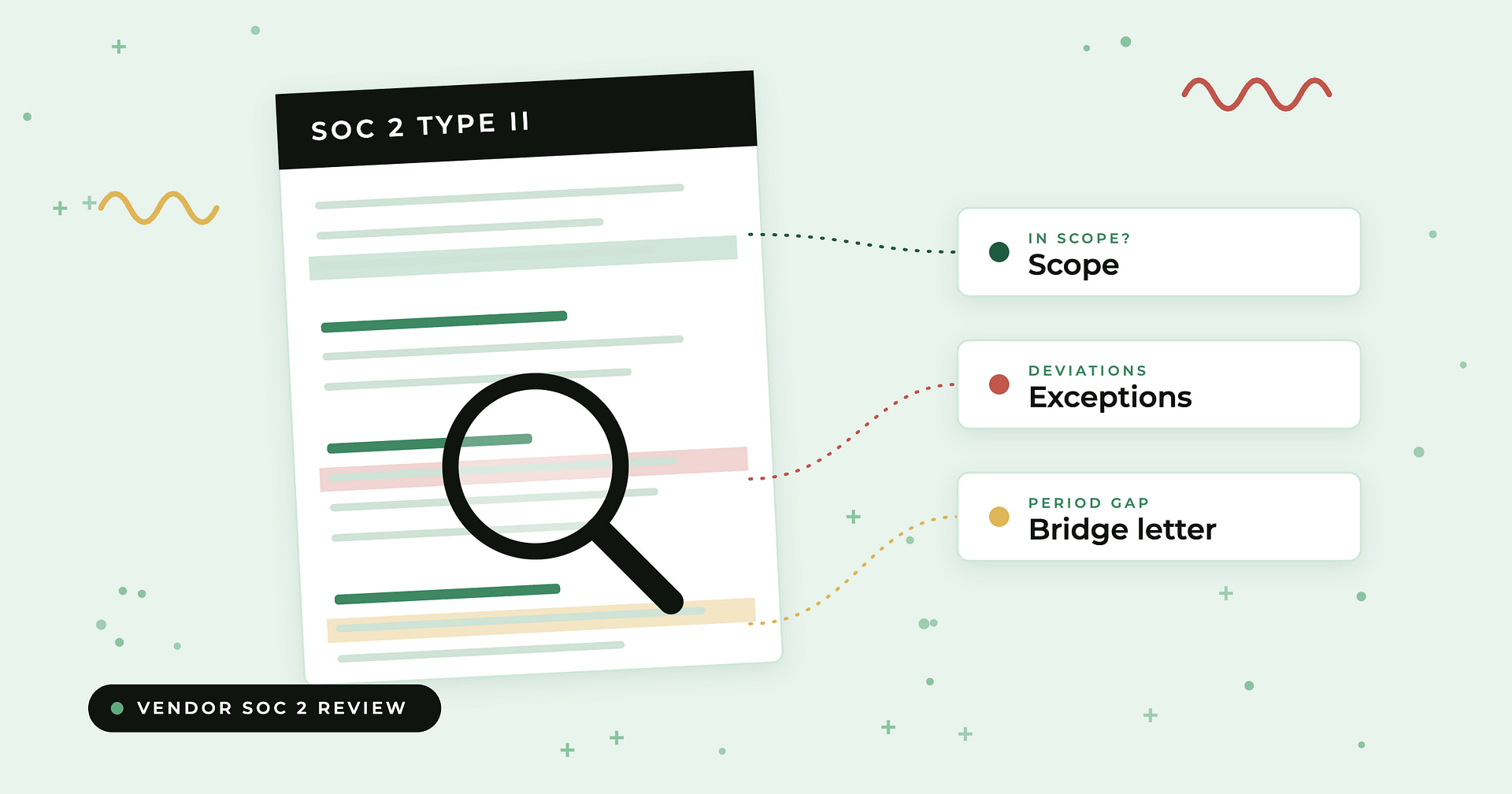
To review a vendor’s SOC 2 report, check six things in order: the report type and period, whether the service you actually buy is in scope, how subservice organizations are handled, which complementary user entity controls (CUECs) land on your side, what the auditor’s opinion says, and every exception in the testing section along with management’s response. Then close the gap since the period ended with a bridge letter, and cover what SOC 2 never addresses, such as how the vendor uses AI on your data and which fourth parties touch it. A SOC 2 is evidence you have to read, not a box you tick because the PDF exists.
The stakes keep rising. Verizon’s 2025 Data Breach Investigations Report found that the share of breaches involving a third party doubled, from 15% to 30%. And the reports themselves are only part of the picture: in Ncontracts’ 2026 State of Third-Party Risk Management Survey, 72% of respondents said they are only partially aware of which of their vendors use AI.
Key takeaways
- Scope beats the logo. A clean SOC 2 that doesn’t cover the product, region, or environment you buy tells you very little. Read the system description first.
- Type II over Type I for anything material. A Type I tests design at a point in time; a Type II includes the auditor’s test results over a period, usually 3 to 12 months.
- CUECs are your controls, not theirs. Every complementary user entity control needs a named owner in your organization, or the vendor’s assurance has a hole in it.
- An unqualified opinion can still contain exceptions. Read the testing section line by line and judge each deviation against how you use the vendor.
- A bridge letter is management’s word, not the auditor’s. It typically covers up to three months; beyond that, ask for a new report.
What should you check in a vendor’s SOC 2 report?
Use this checklist as the backbone of every review. Section names and numbering vary by audit firm, but the content is consistent. BARR Advisory’s breakdown of SOC 2 report sections describes the common layout: the auditor’s report, management’s assertion, the system description, the controls and (for Type II) test results, and optional other information where management can respond to exceptions.
| Section of report | What to check | Red flag |
|---|---|---|
| Cover and auditor’s report | Type I or Type II; the period or as-of date; issue date | Type I only for a critical vendor; period ended more than 12 months ago |
| Auditor’s report (opinion) | Unqualified, qualified, adverse, or disclaimer | Adverse or disclaimer; a qualification touching access, change management, or data you send them |
| Auditor’s report (signature) | Name of the CPA firm that signed | Firm you can’t find on CPAverify or a state board of accountancy |
| System description | Products, environments, regions, and data flows in scope | The service you buy, or the region hosting your data, is missing |
| Subservice organizations | Carve-out or inclusive method; the list of subservice orgs; complementary subservice organization controls | Critical hosting or data processing carved out with no subservice report available |
| Complementary user entity controls | Every control the vendor expects you to run | CUECs nobody on your side owns or performs |
| Trust services criteria | Which of the five categories are covered | Availability or confidentiality excluded when uptime or confidential data is the point of the contract |
| Controls and test results | Exceptions, deviation counts, sample sizes | Repeated exceptions in logical access, offboarding, or change management |
| Management responses | How the vendor explains and remediates each exception | No response, or a response with no remediation date |
| Bridge letter (separate document) | Coverage of the period from report end to today | No letter, or a letter covering much more than three months |
How do you review a vendor’s SOC 2 report, step by step?
The steps below follow the order a reviewer naturally reads the report, and they front-load the checks that can end a review early. If the service isn’t in scope, there’s no point grading exceptions.
Step 1: What report type and period does it cover?
Start on the cover page and the auditor’s report. A Type I report tests whether controls were designed appropriately as of a single date. A Type II report covers a period, typically 3 to 12 months according to BARR Advisory, and includes the auditor’s test results showing whether the controls actually operated. Note the period end date; you will need it for the bridge letter step. If you need a refresher on the distinction, see our explainer on the difference between SOC 2 Type 1 and Type 2, and for timing questions, how long a SOC 2 report is valid for.
Step 2: Is the service you buy actually in scope?
The system description is the vendor’s own account of the people, processes, and technology behind the service. Read it against your contract. Check that the specific product or module you use is named, that the production environment and hosting regions match where your data lives, and that the data types you send are described. Vendors with several products sometimes scope SOC 2 to the flagship and leave newer or acquired products out. A report that doesn’t describe your service is assurance about someone else’s service.
Step 3: How are subservice organizations handled?
Most SaaS vendors rely on cloud hosting and other providers, called subservice organizations. The report handles them one of two ways. Under the carve-out method, the vendor excludes the subservice organization from the scope of its report; its controls are described, but the auditor never examines them. Under the inclusive method, the subservice organization is included, and the auditor tests controls at both organizations, as Compass IT Compliance explains.
Carve-out is common and not a red flag by itself, but it shifts work to you. Compass IT Compliance notes that complementary subservice organization controls (CSOCs) are “a disclosure requirement, not a tested assertion.” For each carved-out provider that matters to your data, obtain that provider’s own SOC report for the relevant period, confirm the CSOCs are addressed in it, and move to direct testing if no report exists or its exceptions matter to your risk.
Step 4: Which complementary user entity controls fall on your side?
CUECs are controls the vendor assumes you, the customer, perform. Linford & Co. defines them as controls that reside at the user entity level, and gives examples such as removing former employees’ access to the service, approving changes before the provider makes them, encrypting data you send, and keeping your own continuity plan. The vendor’s controls are only effective if yours are too.
Copy every CUEC into your review record and assign each to an owner in your organization: identity and access, IT, security operations, or the business owner of the vendor. Linford recommends that user entities perform those controls consistently for the entire period they rely on the report, and keep a process to identify and track CUECs annually. Ideally, map each CUEC to a control in your own control library so it gets tested like any other control.
Step 5: What does the auditor’s opinion say?
The opinion sits in the auditor’s report at the front. Linford & Co. summarizes the four outcomes under SSAE No. 21 in its guide to SOC report opinions:
- Unqualified: a clean report with no modification to the overall opinion.
- Qualified: misstatements that are material but not pervasive. The wording usually reads “except for…”
- Adverse: misstatements that are both material and pervasive.
- Disclaimer: the auditor could not obtain sufficient appropriate evidence to form an opinion.
Schellman notes that a qualified opinion is common and generally still accepted by customers, while an adverse opinion alerts users that they cannot rely on the scoped system. For a qualified opinion, read exactly what the “except for” covers and whether it touches the controls protecting your data.
Step 6: What exceptions appear in the test results?
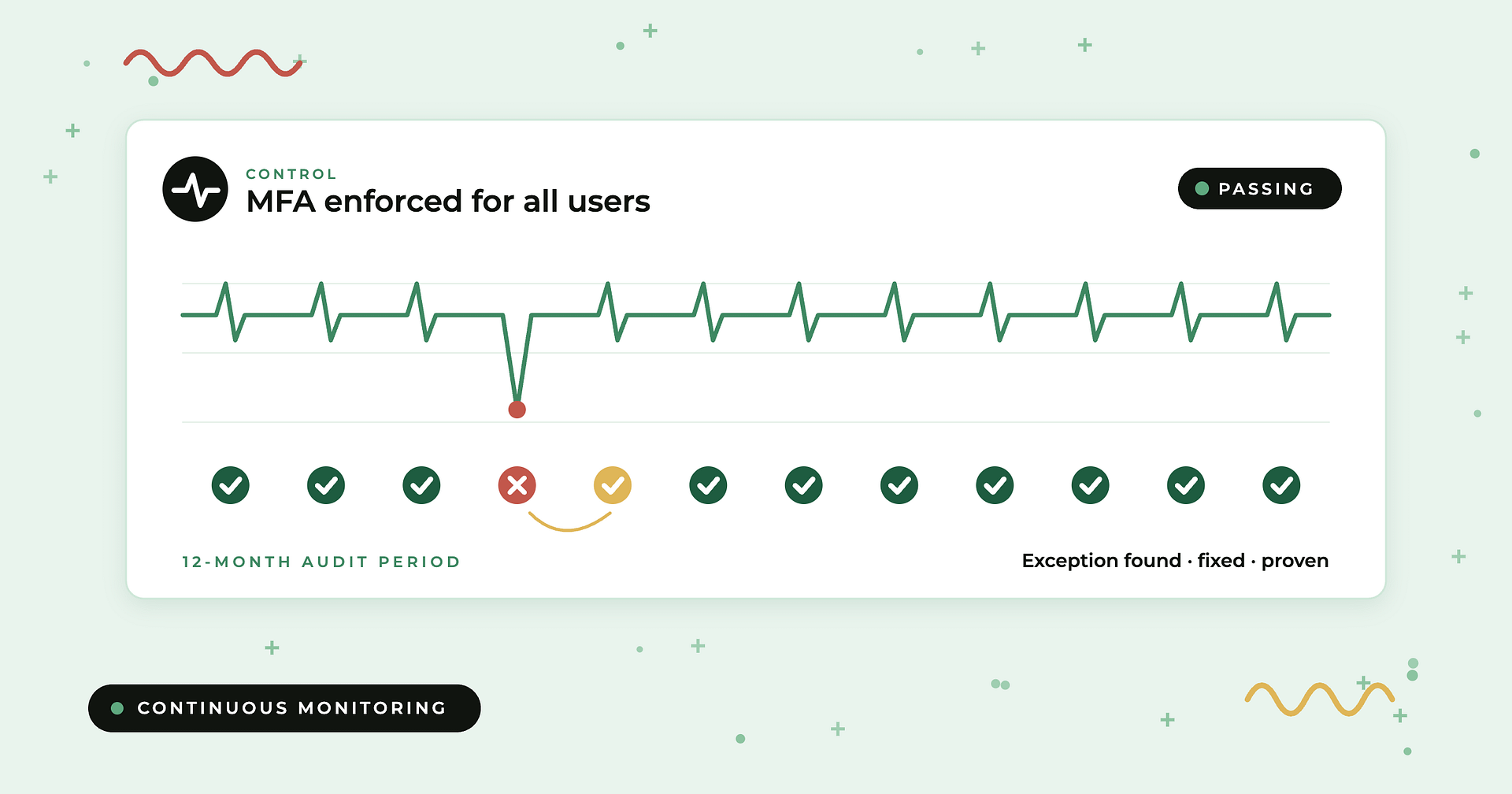
In a Type II report, the controls section lists each control, the auditor’s test, and the result. Exceptions (also called deviations) show where a control did not operate as described for some samples. Exceptions don’t automatically cause a qualified opinion; Linford notes that the auditor weighs them individually and together, and that an unqualified opinion with exceptions noted is common. That’s why skipping straight from “unqualified” to “approved” is the most common review mistake.
For each exception, record the control, the deviation rate, and whether it touches something you rely on. Then read management’s response, which often sits in a separate “other information” section. A good response explains root cause, compensating controls, and a remediation date.
Step 7: Which trust services criteria are covered?
The AICPA’s Trust Services Criteria span five categories: security, availability, processing integrity, confidentiality, and privacy. According to Linford & Co., security (the common criteria) is the only category required in every SOC 2; the other four are added at management’s discretion. Match the categories to why you’re buying. If you depend on uptime, look for availability. If you send confidential or personal data, look for confidentiality or privacy. A security-only report isn’t wrong, but it leaves those questions for your questionnaire.
Step 8: Is the auditor a licensed CPA firm?
SOC engagements are attestation services provided by CPAs under standards the AICPA promulgates. Check the signing firm on CPAverify, a free lookup of licensed CPAs and CPA firms populated with data from state boards of accountancy, which also shows enforcement or disciplinary markers. This step matters more than it used to: the AICPA has publicly said it is looking into allegations about a compliance vendor’s SOC business practices and will act against members whose audits don’t follow professional standards, who aren’t enrolled in peer review, or who are unlicensed. A report from a firm you can’t verify, or one that reads like a template with no real testing detail, deserves extra scrutiny.
Step 9: Does a bridge letter cover the period since the report ended?
A SOC 2 period ends before you read it. A bridge letter, also called a gap letter, covers the time between the report’s end date and today. Per Linford & Co., it is written by the vendor’s management on its letterhead, the service auditor does not sign it, and it carries no assurance from the auditor. A-LIGN says a bridge letter normally covers about three months, and that longer gaps suggest it’s time for a new examination.
Check that the letter states the prior report period, discloses any material control changes (or states there are none), and is dated recently. Diary the vendor’s next report date so you’re not chasing it at renewal.
Step 10: What does the SOC 2 not tell you?
None of the five trust services categories is dedicated to AI. A SOC 2 won’t tell you whether the vendor feeds your data into models, which AI providers sit behind its features, or whether your data trains anything. It also won’t fully describe fourth parties: carved-out subservice orgs are listed, but smaller sub-processors may not be. Close these gaps with targeted questions. Our vendor AI questionnaire template covers AI use, and our comparison of SIG vs CAIQ security questionnaires helps you pick a standard questionnaire for everything else.
What should you do when a vendor’s SOC 2 has exceptions?
Exceptions are normal. What matters is whether they touch your risk and whether the vendor fixed them. Work through them like this:
- Classify each exception by the control area (access, change management, monitoring, backups) and whether that area protects your data or service.
- Check the deviation rate. One missed sample out of many is different from a control that failed across the period.
- Read the management response for root cause, compensating controls, and a remediation date.
- Ask for evidence of remediation where the exception matters: a follow-up attestation, screenshots, or confirmation in the bridge letter.
- Look for repeats. The same exception in two consecutive reports is a stronger signal than a one-off.
- Decide and document. Accept, accept with conditions (contract terms, a shorter reassessment cycle), or escalate. Log it as a vendor risk with an owner and a due date.
How do you choose the right response to what you find?
| Situation | Start here | Why |
|---|---|---|
| Unqualified Type II, your service in scope, no relevant exceptions | Approve; assign CUEC owners; diary next report | The assurance covers what you buy |
| Only a Type I available | Accept for low-risk vendors; for critical ones, require a Type II date in the contract plus a questionnaire | Type I shows design, not operation over time |
| Your product or region not in scope | Ask for scope expansion timing; assess the gap by questionnaire | The report describes a different system |
| Critical hosting carved out | Request the subservice org’s SOC report and check CSOCs | Carved-out controls were never tested in this report |
| Qualified opinion | Read the “except for” scope; request remediation evidence | Material issue, but may not touch your use |
| Adverse opinion or disclaimer | Escalate to risk owner; consider alternatives | The auditor says the system can’t be relied on, or couldn’t conclude |
| Report period ended months ago | Request a bridge letter; if the gap runs well past three months, request the new report | Bridge letters carry no auditor assurance |
| Vendor uses AI on your data | Send an AI-specific questionnaire | SOC 2 has no AI-specific category |
Is a SOC 2 Type I enough for vendor risk?
For low-risk vendors with limited data access, often yes. For vendors that hold sensitive data, run critical processes, or connect to your production systems, usually not. A Type I shows controls were designed appropriately on one day; it says nothing about whether they kept working. Newer vendors often start with a Type I, so a practical approach is to accept it with a contractual commitment to a Type II and a full security questionnaire in the meantime.
How does Compyl help you review vendor SOC 2 reports?
The review steps above are easy to describe and hard to sustain across hundreds of vendors. Ncontracts’ survey found 53% of organizations manage 300 or more vendors, while 63% of TPRM programs have just one or two dedicated full-time staff. That math only works if the follow-through is automated.
Best for: security and GRC teams at 200 to 1,000-employee companies who want SOC 2 reviews connected to their own control framework, not filed in a shared drive. Compyl’s vendor risk management files SOC 2 reports and other evidence on each vendor record, flags expiring attestations and sends renewal requests automatically, and supports SIG, SIG Lite, and custom questionnaires for the gaps a SOC 2 leaves. Vendors link to the controls their access touches, so the CUECs you identify can map straight into Compyl’s single control library, cross-mapped across 70+ frameworks, and get tested like any other control. Exceptions become tracked risks with owners, and Compyl AI drafts follow-up tasks with a human approving every action. Each customer runs in a dedicated single-tenant environment, and pricing carries no per-framework, per-module, or per-connector fees. If you’re comparing platforms, our roundup of the best vendor risk management software covers the field.
See how Compyl tracks vendor SOC 2 reports, bridge letters, and CUECs in a demo.
Frequently asked questions
What should I look for in a vendor’s SOC 2 report?
Check the report type and period, whether the service you buy is in the system description, how subservice organizations are handled (carve-out or inclusive), the complementary user entity controls you must perform, the auditor’s opinion, every exception in the test results with management’s response, the trust services criteria covered, and whether the auditor is a licensed CPA firm. Then request a bridge letter for the time since the period ended.
What is a bridge letter in SOC 2?
A bridge letter, or gap letter, is a statement from the vendor’s management covering the time between the end of its last SOC report period and the present. It is written on the vendor’s letterhead, is not signed by the auditor, and provides no auditor assurance. It typically covers up to about three months and should disclose any material control changes or state that there were none.
What are complementary user entity controls in a SOC 2 report?
Complementary user entity controls (CUECs) are controls the vendor assumes its customers perform for the vendor’s controls to be effective. Common examples include removing departed employees’ access to the service, approving changes, encrypting data sent to the vendor, and maintaining your own continuity plan. Each CUEC should have a named owner in your organization.
Is a SOC 2 Type I enough for vendor risk management?
A Type I can be enough for low-risk vendors, because it confirms controls were designed appropriately as of a single date. For critical vendors that hold sensitive data or connect to production systems, a Type II is the better standard because it includes the auditor’s test results over a period, usually 3 to 12 months. If only a Type I exists, require a Type II commitment and use a security questionnaire in the meantime.
What if a vendor’s SOC 2 report has exceptions?
Exceptions are common and often appear in reports with unqualified opinions. Classify each one by control area, check the deviation rate, read management’s response for root cause and remediation dates, ask for remediation evidence where it matters to you, watch for repeat exceptions across years, and record a documented decision with an owner and a due date.
What is the difference between carve-out and inclusive methods in a SOC 2 report?
Under the carve-out method, the vendor excludes a subservice organization such as its cloud host from the report scope, so the auditor does not test that provider’s controls. Under the inclusive method, the subservice organization is in scope and the auditor tests controls at both organizations. With carve-out, you should obtain the subservice organization’s own SOC report.
What do qualified, adverse, and disclaimer opinions mean in a SOC 2?
An unqualified opinion is a clean report. A qualified opinion means the auditor found material but not pervasive issues, usually worded as “except for.” An adverse opinion means issues were both material and pervasive, so the system should not be relied on. A disclaimer means the auditor could not obtain enough evidence to form an opinion.
How do I verify that a SOC 2 auditor is legitimate?
Look up the CPA firm that signed the auditor’s report on CPAverify, a free database of licensed CPAs and CPA firms populated with data from state boards of accountancy, or check the relevant state board directly. Be cautious of reports from firms you cannot verify or reports with little real testing detail.
Does a SOC 2 report cover a vendor’s use of AI?
Not directly. None of the five trust services categories (security, availability, processing integrity, confidentiality, privacy) is dedicated to AI, so a SOC 2 won’t tell you whether a vendor uses your data in AI models or which AI providers it relies on. Use an AI-specific vendor questionnaire to cover that gap.